
Turn WhatsApp Conversations into Real Business Growth
LeadWave turns the WhatsApp number you already use into a complete lead management and automation system — bulk messaging, AI chatbot, auto-reply and lead tracking, all from one Windows desktop app. One-time purchase, no recurring API fees.
300+
Happy Customers
4.9★
Average Rating
99.9%
Uptime
∞
Lifetime Access
Everything You Need to Automate WhatsApp
Powerful features designed to streamline your WhatsApp communication and boost your business productivity with cutting-edge automation.
Multi-Device Support
Connect and manage multiple WhatsApp accounts from a single desktop application with seamless synchronization.
Bulk Messaging
Send personalized messages to multiple contacts simultaneously with smart scheduling and delivery optimization.
AI Chatbot
Intelligent automated responses powered by advanced AI to handle customer inquiries 24/7 with human-like interactions.
Message Templates
Create and manage reusable message templates with buttons and variables for consistent communication.
Contact Management
Import, organize and manage your contacts and WhatsApp groups with advanced filtering and grouping.
Call & Follow-Up Automation
Automated call responses and follow-up workflows that keep every warm lead from going cold.
Explore Every Module
A real look at the desktop app — every module you get, straight from the product.
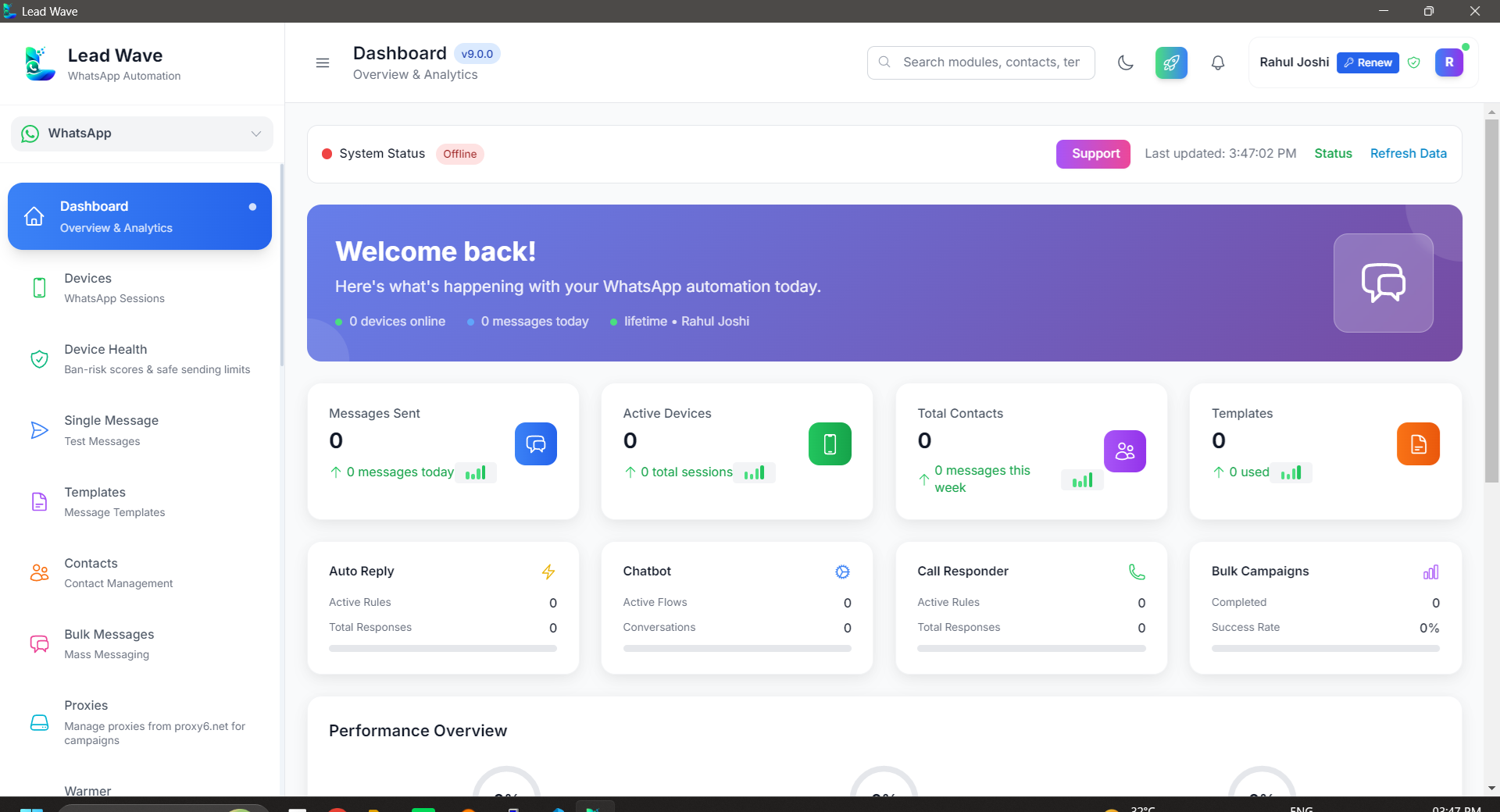
Dashboard
A live overview of your leads, conversations and campaign performance.
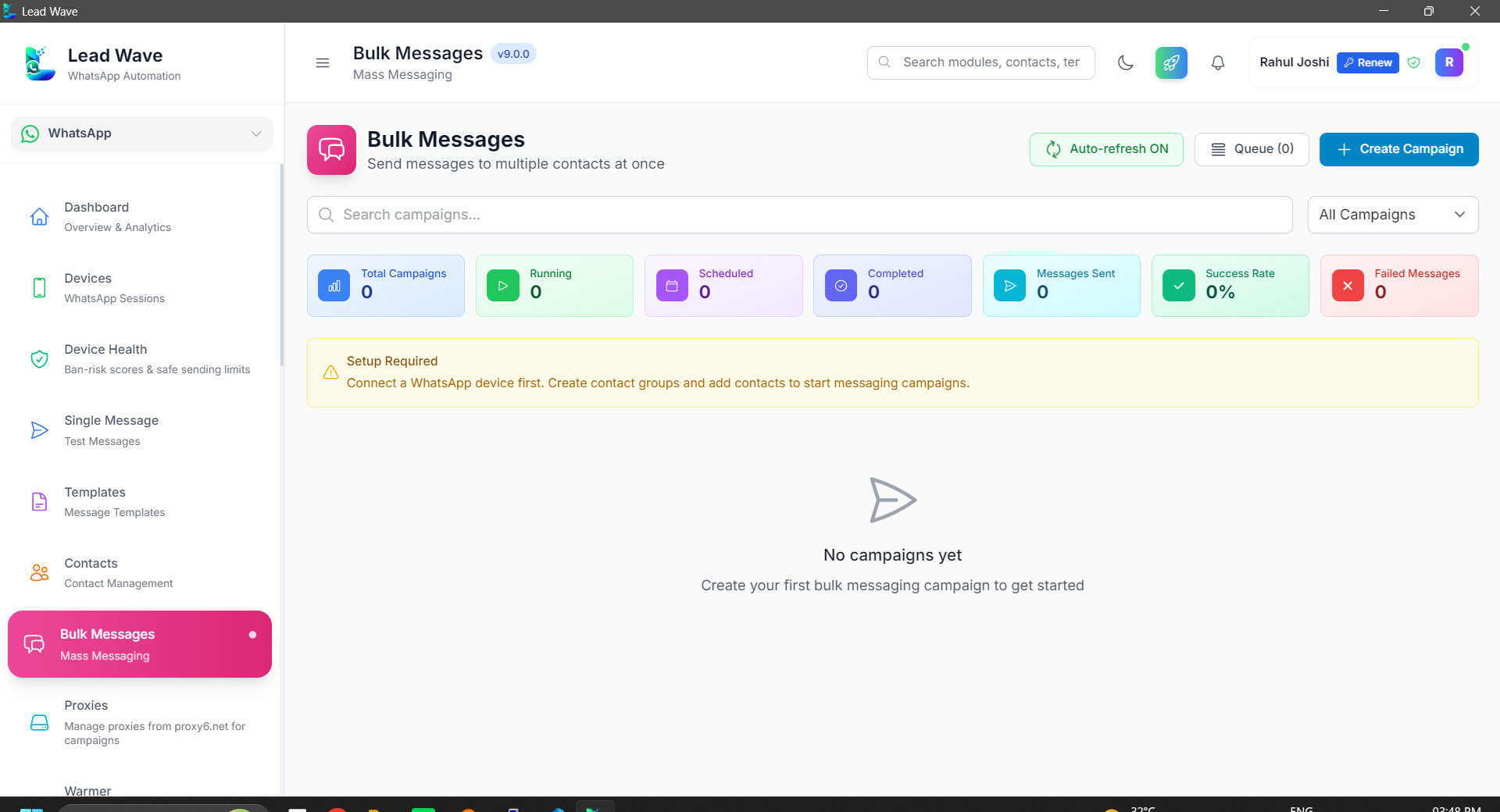
Bulk Messages
Broadcast text, media and button templates to contacts or groups in bulk.
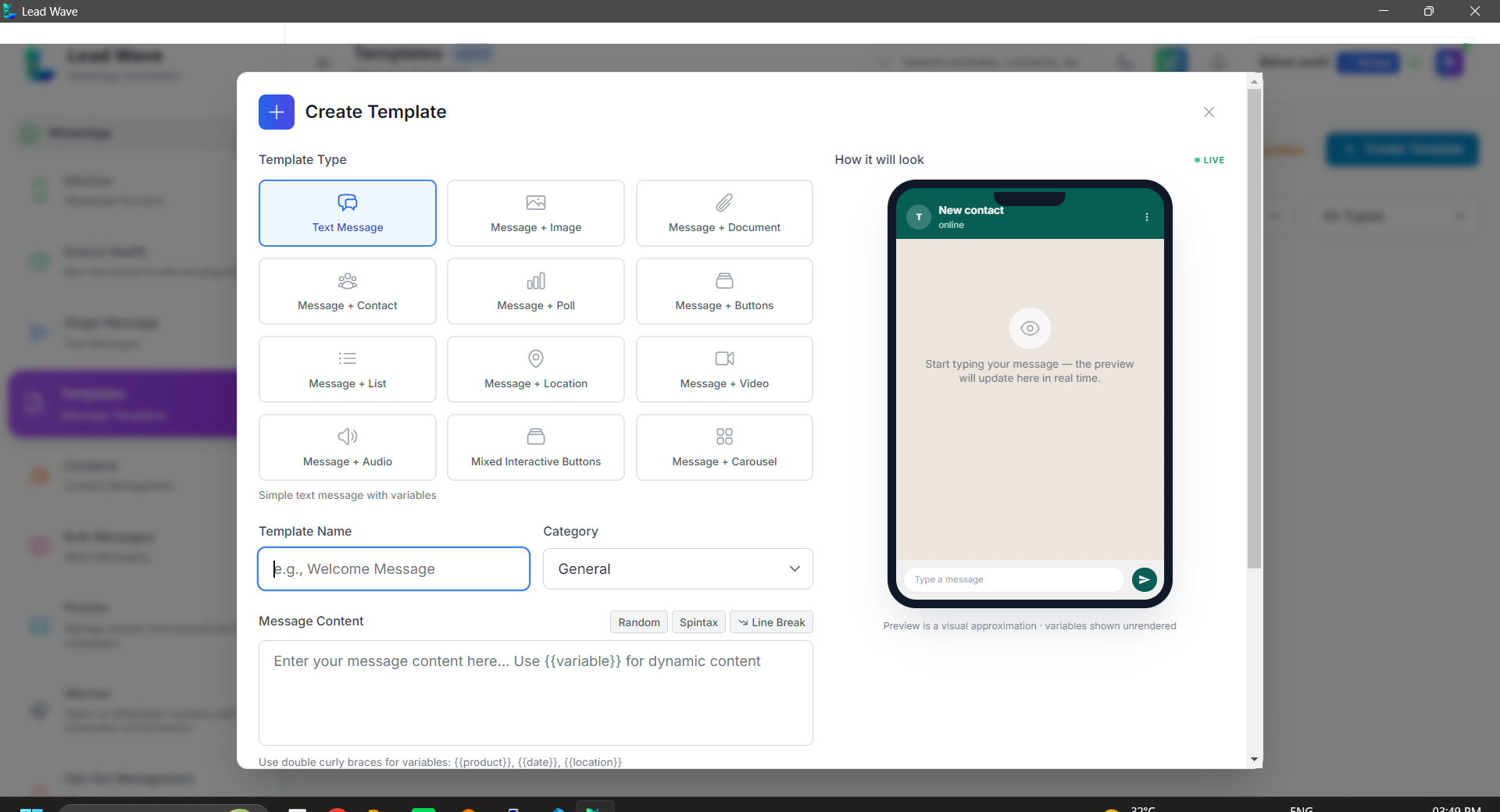
Message Templates
Build and reuse interactive templates with buttons, images and variables.
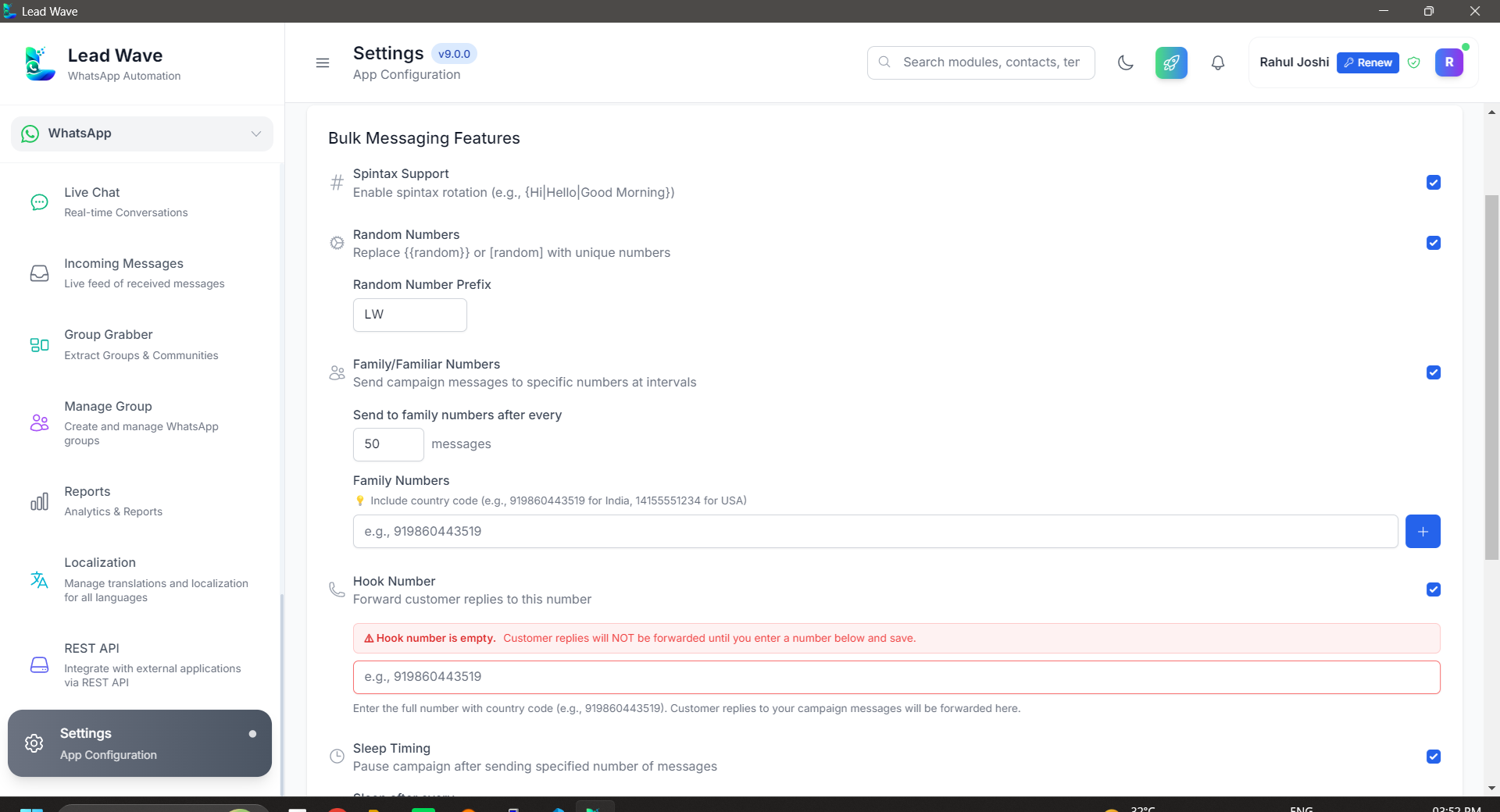
Bulk Message Settings
Fine-tune sending delays and limits to keep campaigns safe and reliable.
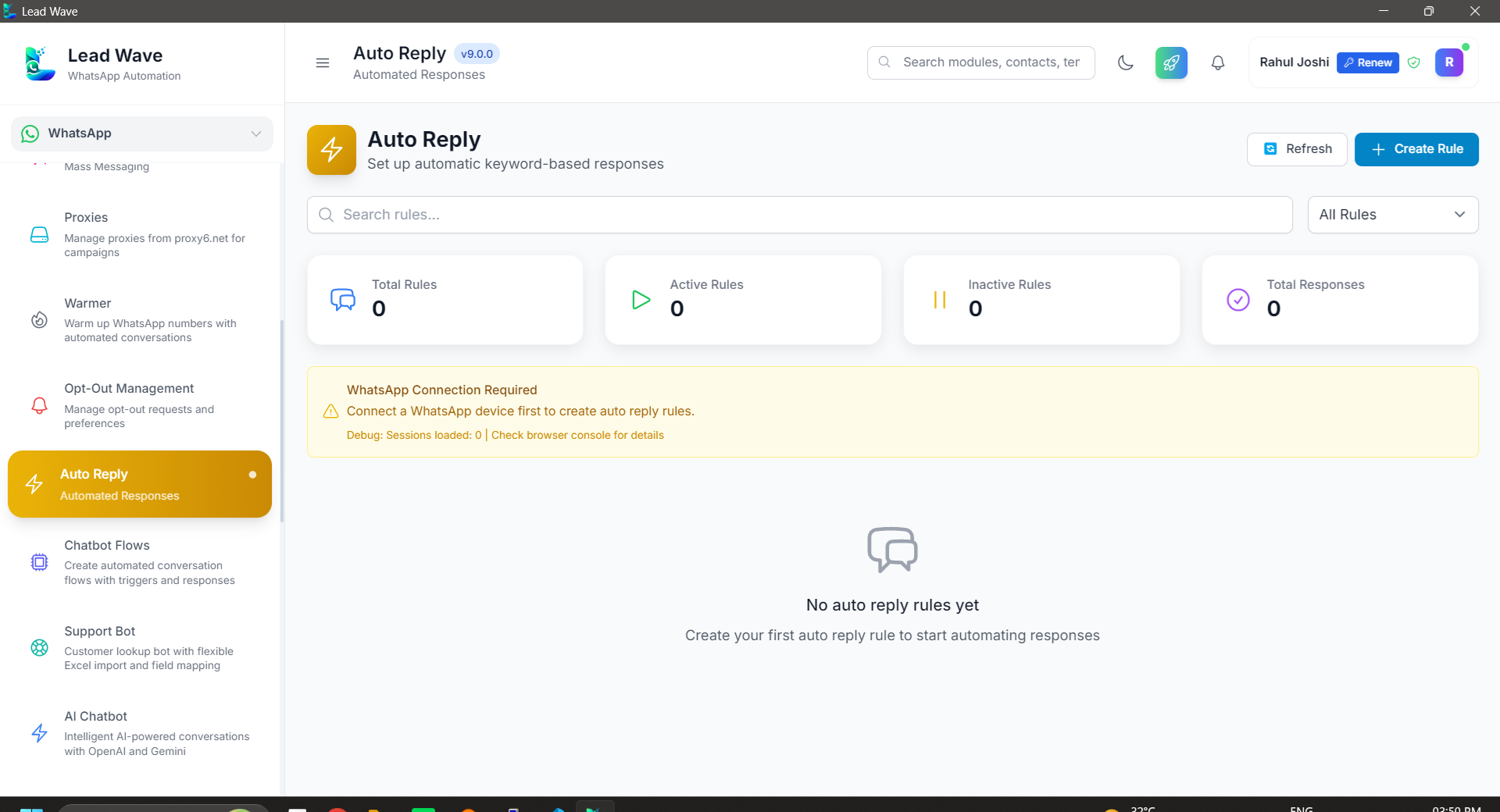
Auto Reply
Trigger instant keyword-based replies to common questions, automatically.
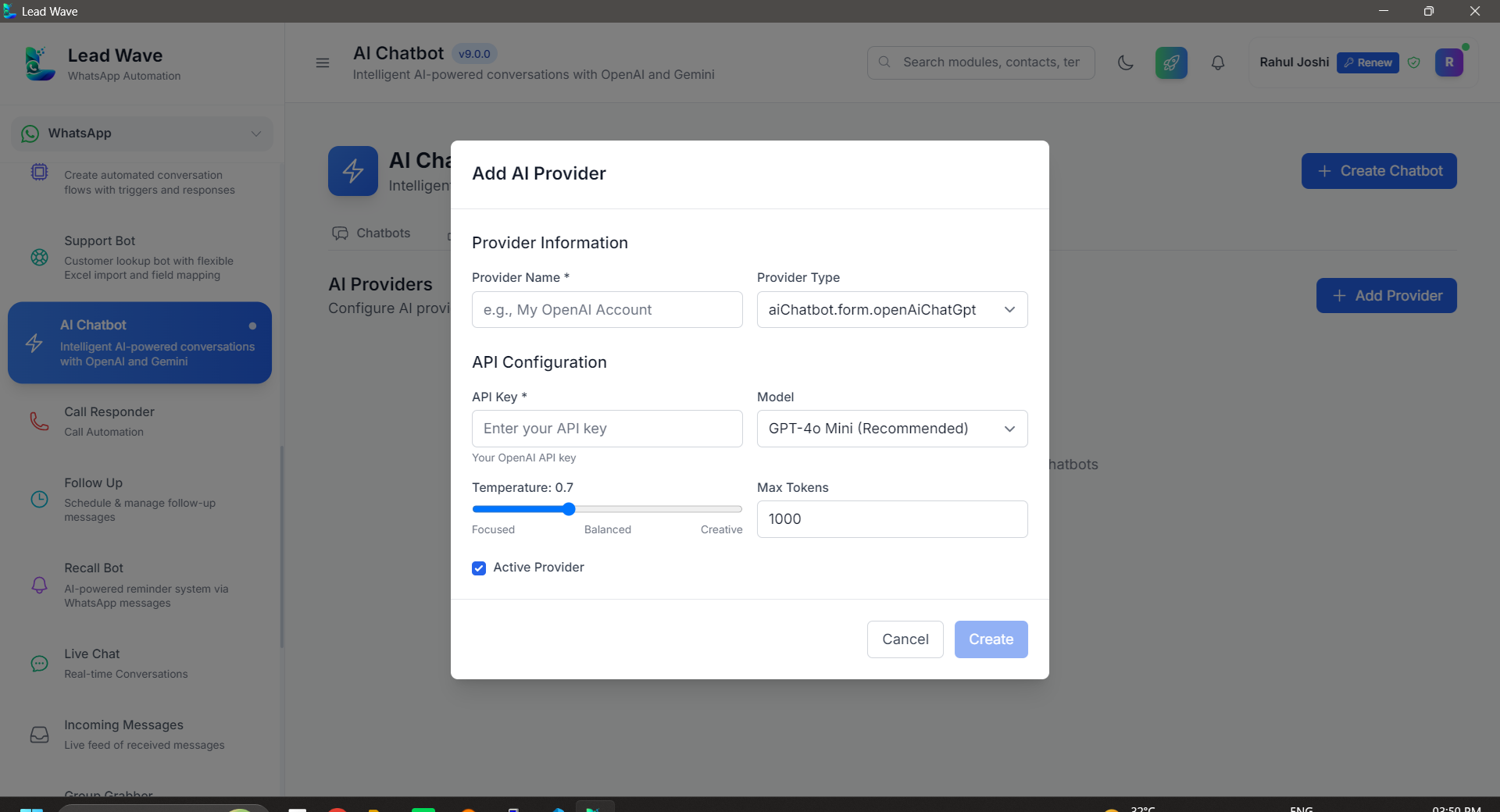
AI Chatbot
Hand conversations to an AI assistant that responds like a real teammate.
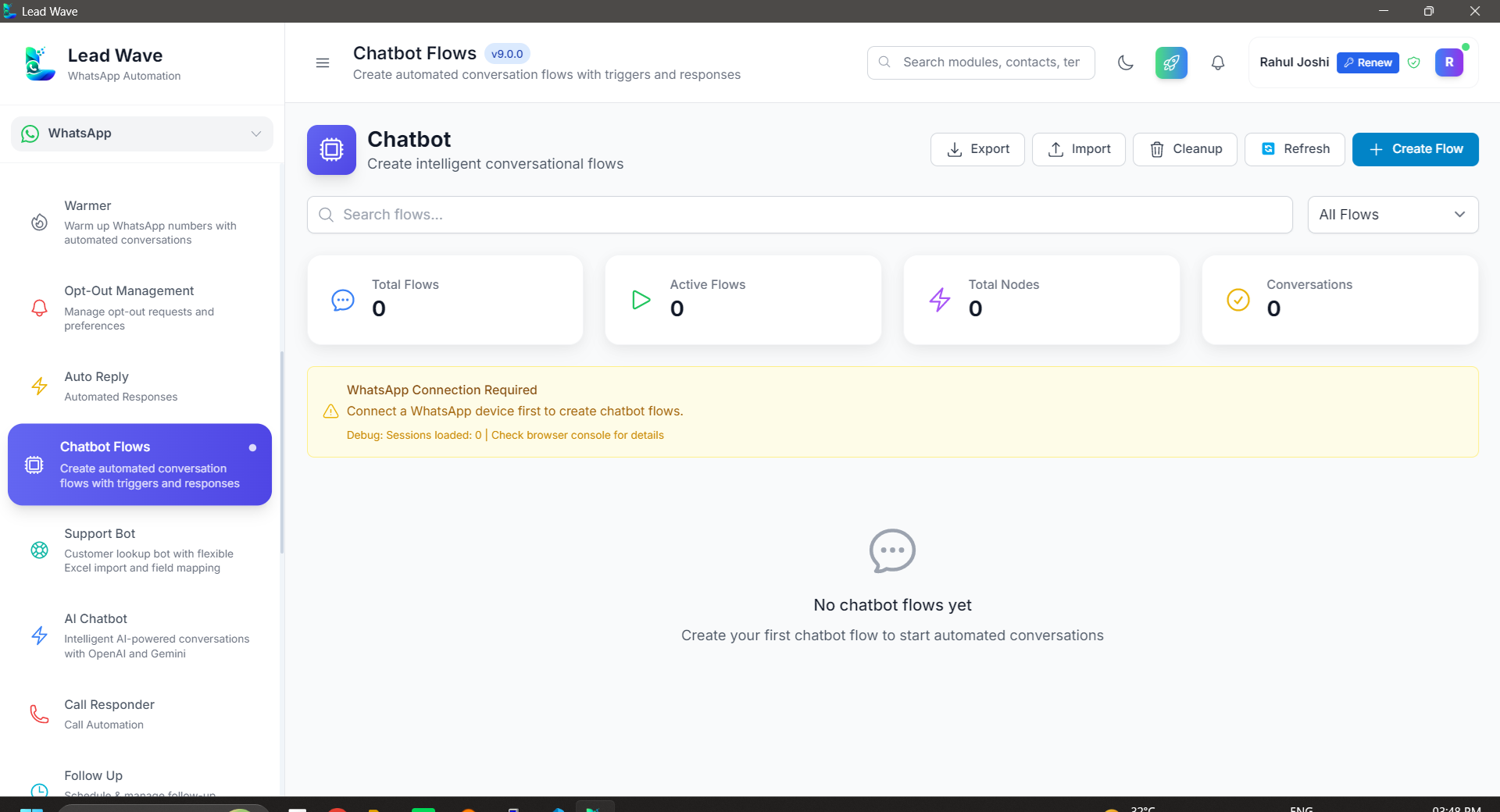
Chatbot Builder
Design rule-based conversation flows without writing a single line of code.
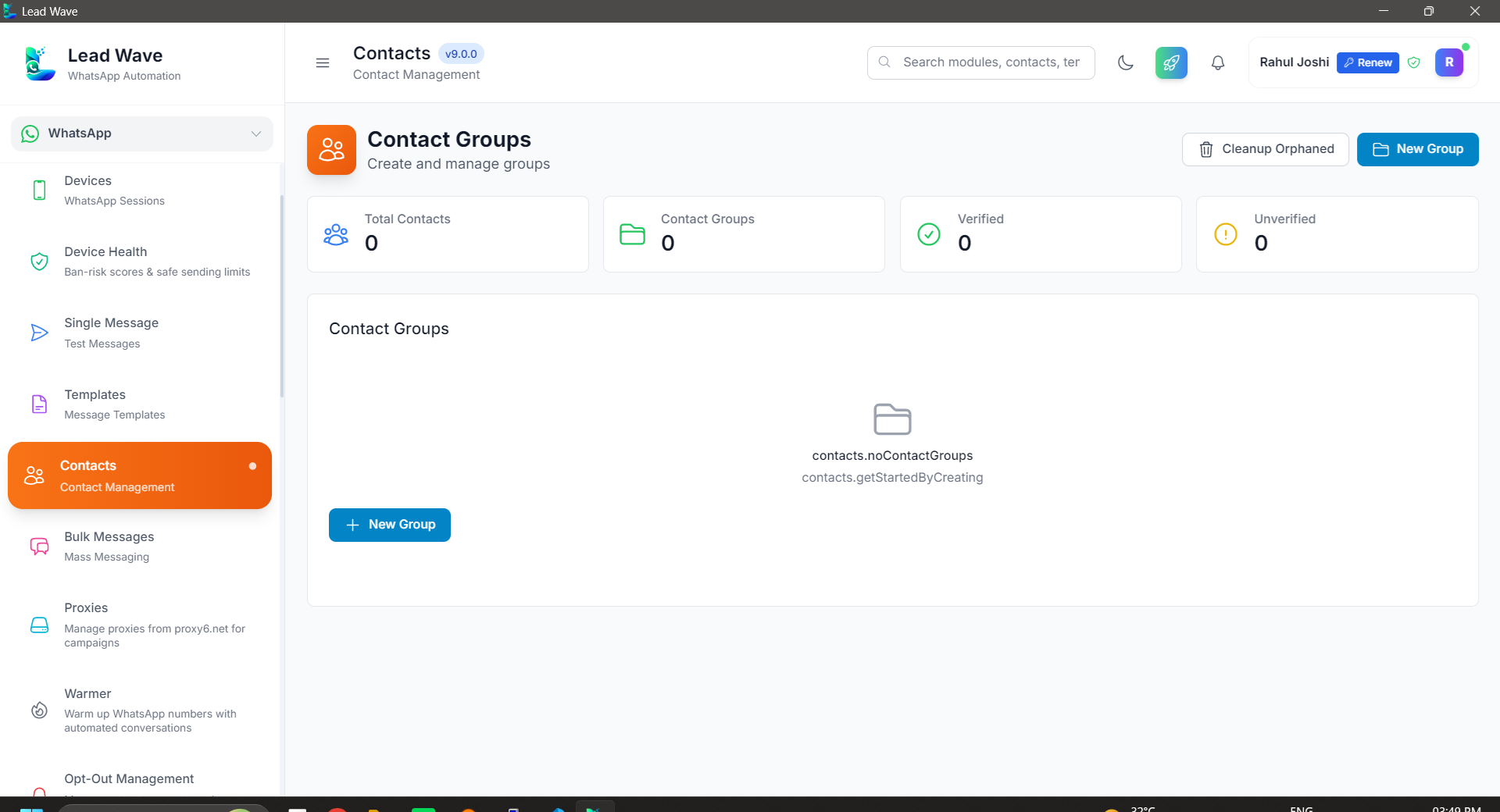
Contact Manager
Keep every contact, tag and conversation history organized in one place.
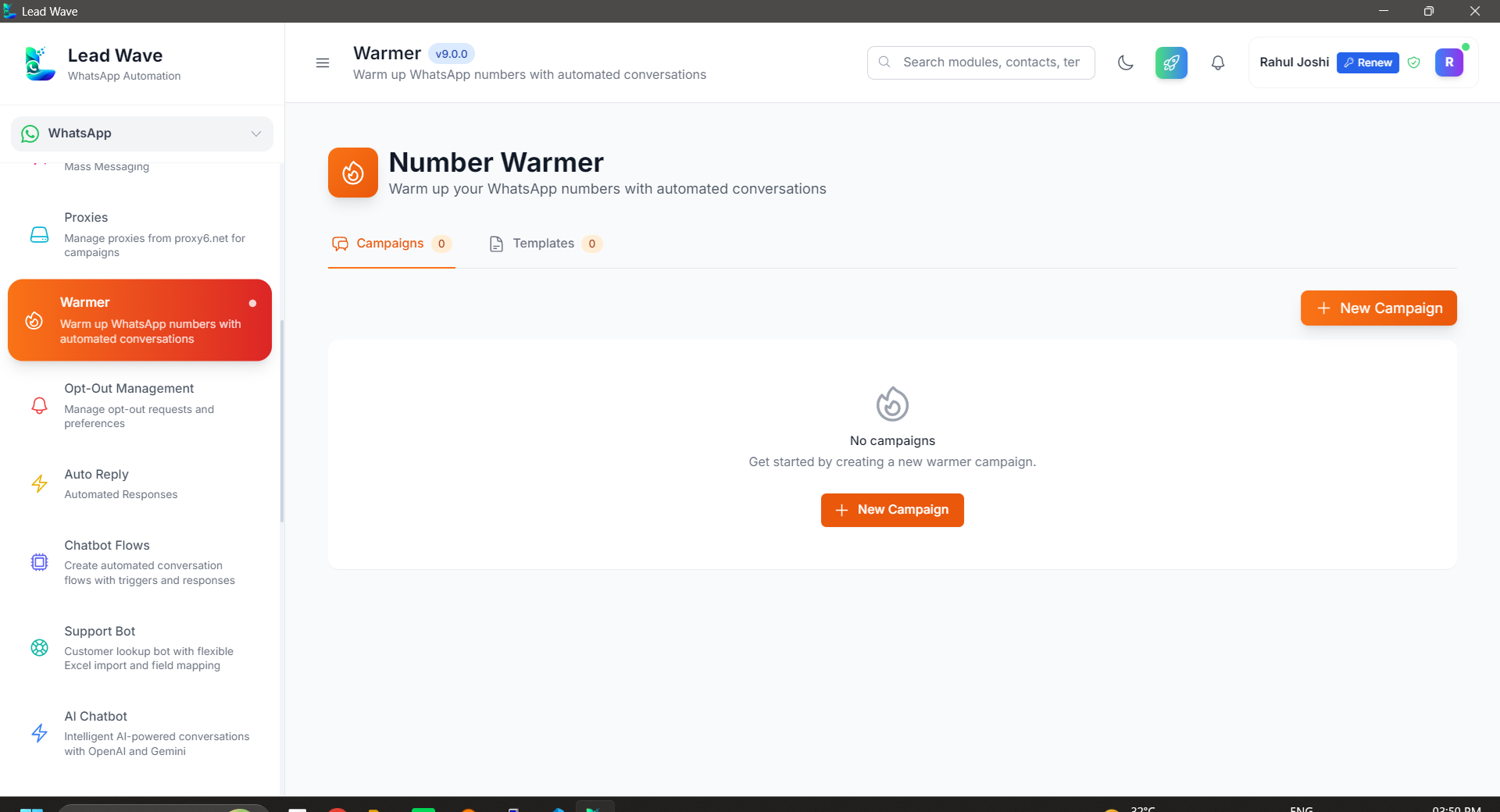
Number Warmer
Gradually build activity on new numbers before they go into heavy use.
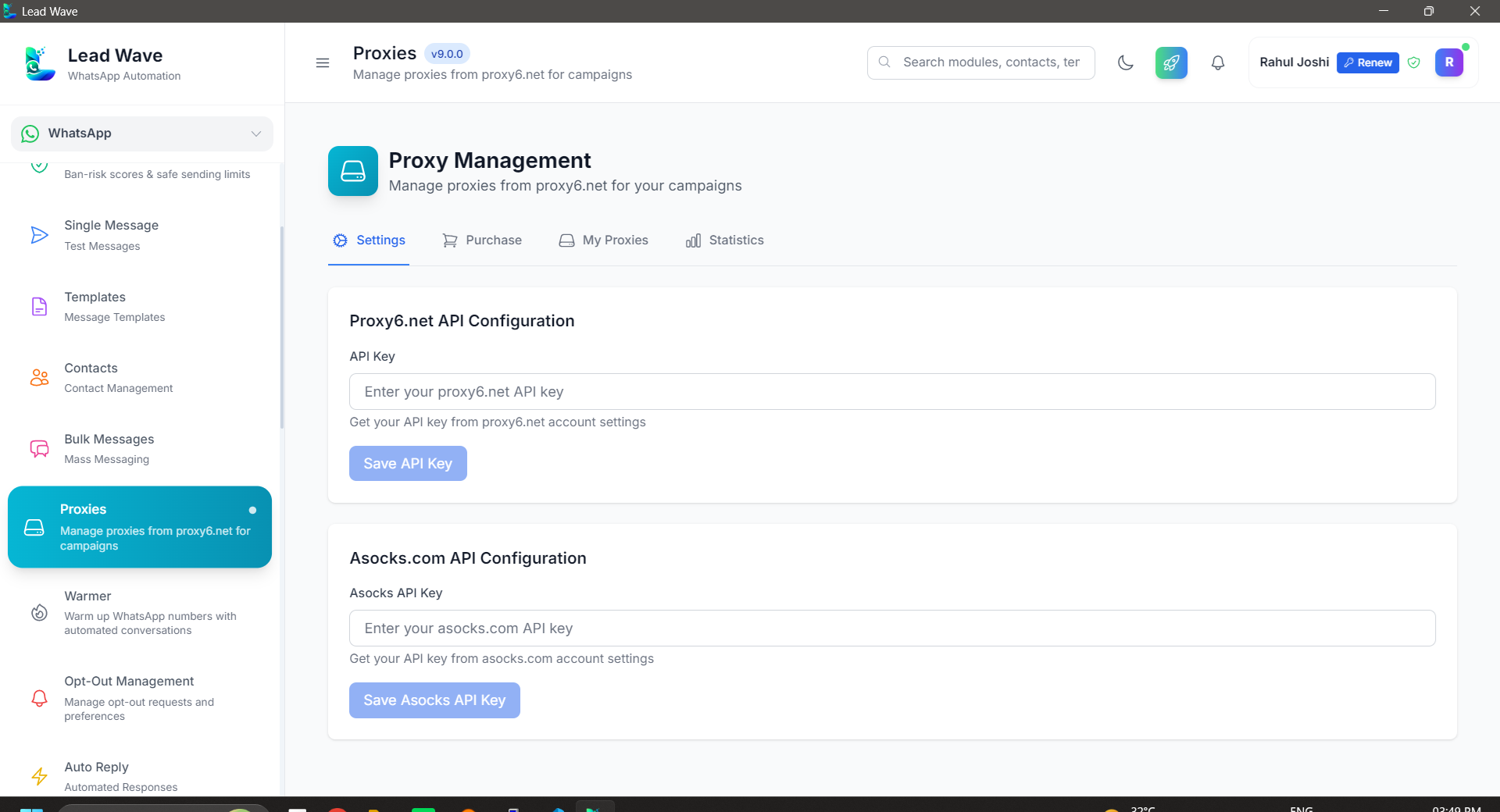
Proxies
Assign proxies per session to keep multi-number setups safe and stable.
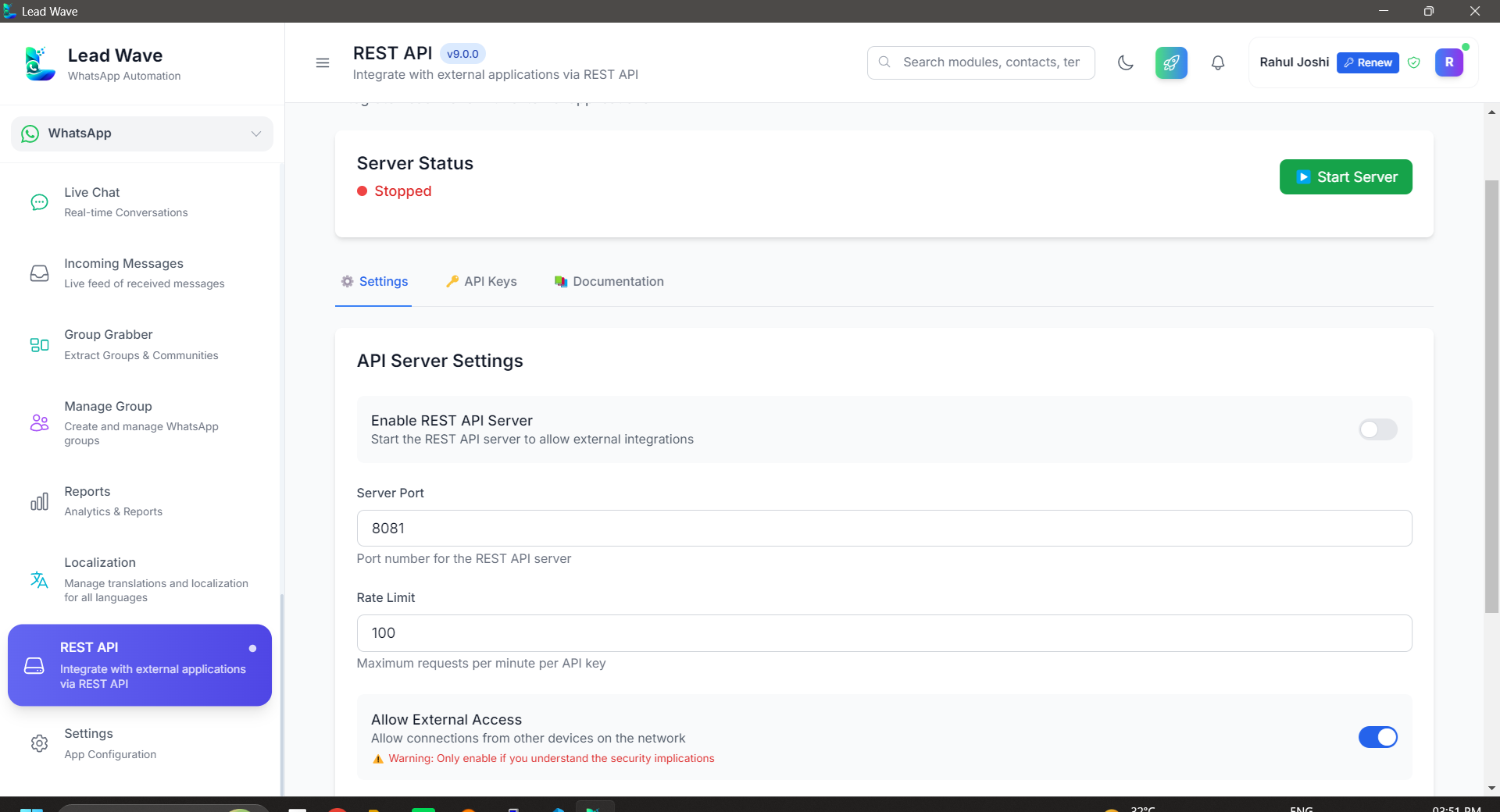
REST API
Trigger messages and automations from your own systems and CRMs.
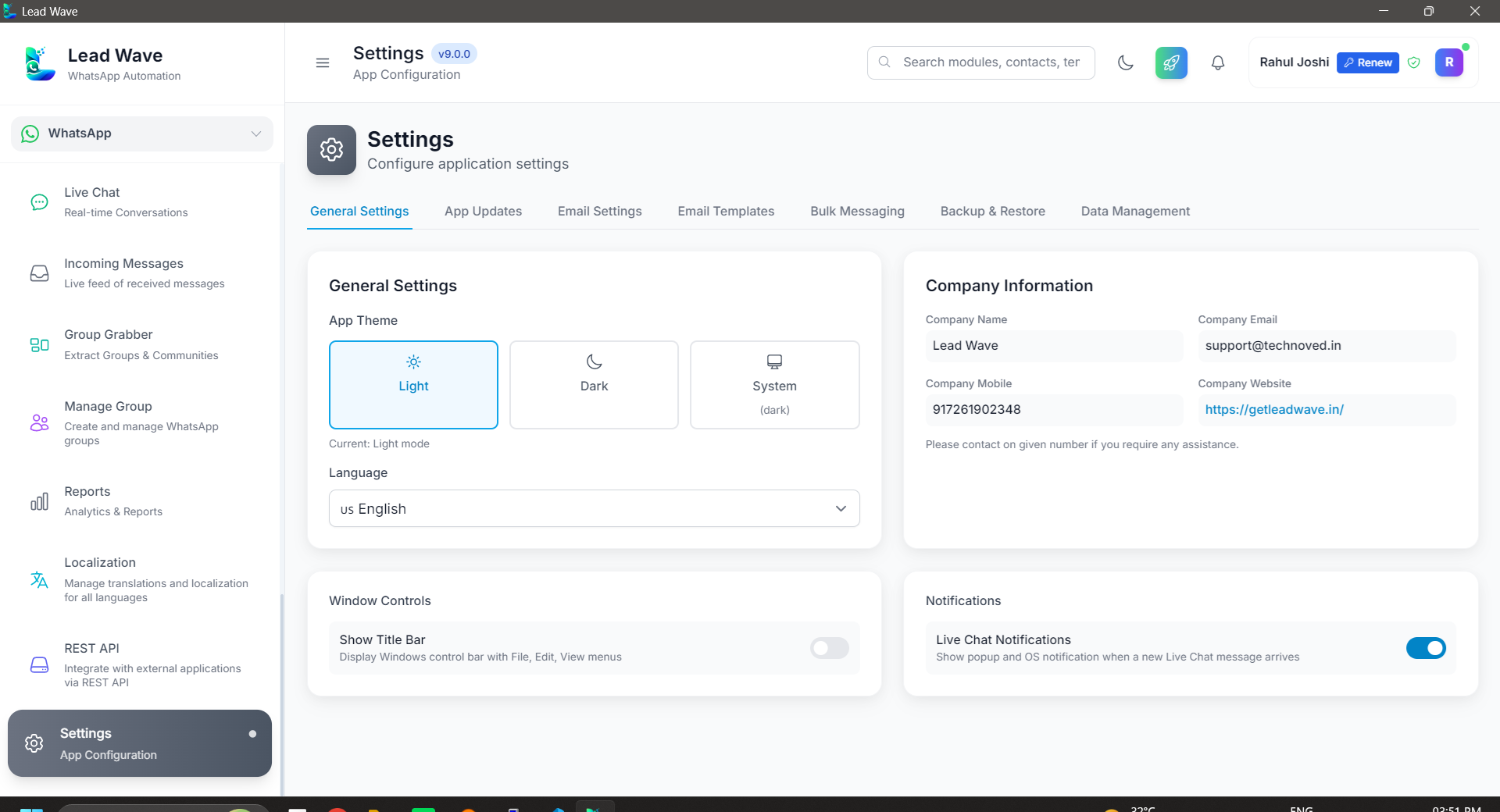
Settings
Configure every session and preference from a single control panel.
From Download to Free Trial in 5 Steps
No automated checkout — a real person on our team activates your trial, personally, over WhatsApp.
Download & Install
Download the LeadWave installer (.exe) from this website and install it on your Windows laptop or PC.
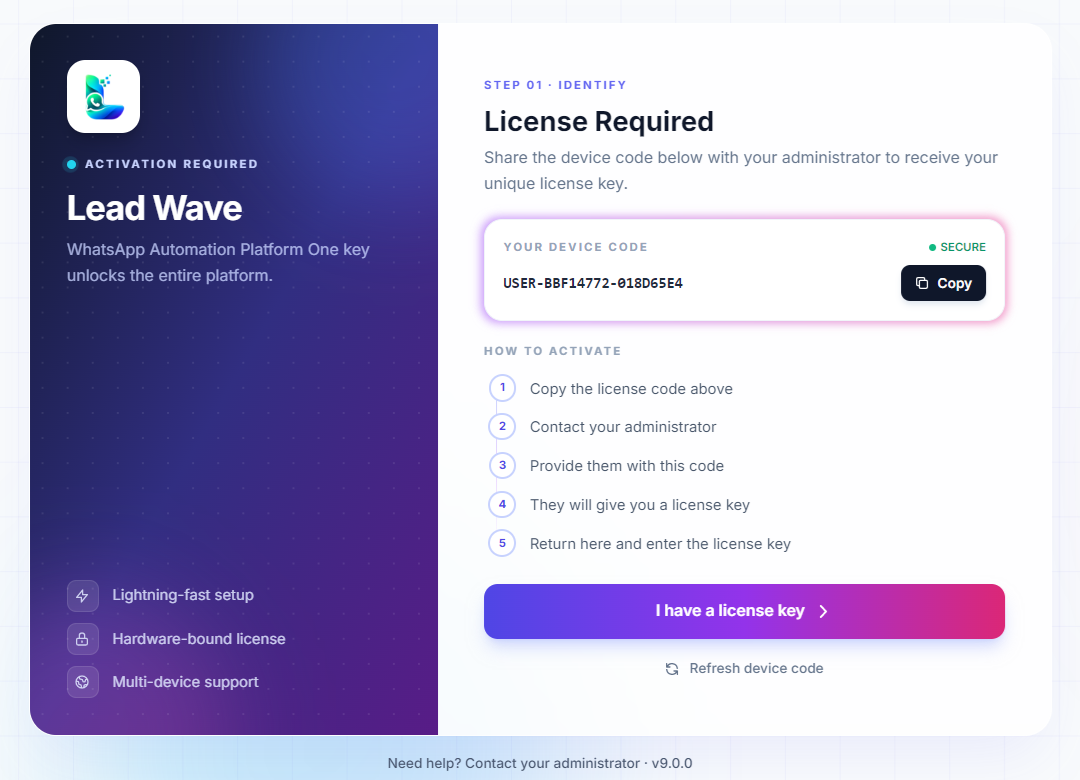
Get Your Device Code
Open the app. On first launch it generates a unique device code and shows it right on screen.
Send Us Your Code
Copy that code and send it to us on WhatsApp — we'll take it from there.
We Create Your Trial License
Our team generates a trial license key tied to your device code and sends it back to you.
Activate & Test the Product
Enter the license key in the app to unlock full access, and try every module for yourself.
Built Around How You Already Work
No new number to give out, no per-message billing, and no waiting on API approvals.
Your Number, Your Chats
LeadWave connects to the WhatsApp number you already use — no new number, no lost chat history, no re-onboarding customers.
One-Time Purchase, No API Bills
No per-conversation or per-message charges from a BSP — pay once for a lifetime license and message as much as you need.
Runs Locally, Data Stays With You
LeadWave runs as a desktop app on your own machine, with your leads and conversation data stored in your own local database.
Is LeadWave Right for You?
Please read this before purchasing — we'd rather educate you upfront than sell you the wrong fit and refund it later.
Please understand this before you buy
- • LeadWave connects using Baileys, a reverse-engineered WhatsApp Web library — not the official WhatsApp Business API, and it is not affiliated with Meta / WhatsApp in any way.
- • WhatsApp does not officially permit bulk messaging or automation, on any tool.
- • Number blocking or banning can happen even with the official WhatsApp Business API — unofficial tools like LeadWave carry a higher risk still.
- • No software, including LeadWave, can guarantee your number will never be blocked. Your message content and sending behavior significantly affect that risk.
- • We strongly recommend testing with a spare or secondary number before committing your primary business number.
LeadWave is a good fit if you...
- Want WhatsApp automation but understand the risks involved
- Prefer a one-time cost over an expensive official API setup
- Accept the technical limitations of an unofficial tool
- Are okay experimenting responsibly with automation
- Want direct control over your own campaigns
LeadWave is NOT for you if you...
- Plan to run spam campaigns
- Want guaranteed Meta / WhatsApp approval
- Need WhatsApp to behave with email-like, SLA-backed reliability
- Want responsibility for WhatsApp policy compliance transferred to the developer
- Require the 100% official WhatsApp Business API
What to Expect
- • LeadWave depends on WhatsApp's backend and may stop working temporarily after major WhatsApp updates.
- • WhatsApp-side changes can break features without warning.
- • Some issues depend on upstream Baileys library updates — fixes may take time.
- • This is a licensed desktop tool, not enterprise SaaS with uptime SLAs.
By purchasing LeadWave, you acknowledge that it uses an unofficial WhatsApp connection method, that number blocking is a real possibility, and that Techno Ved IT Solutions cannot be held responsible for WhatsApp's policy enforcement decisions.
Complete WhatsApp Marketing Solution
One-time purchase, lifetime access — no recurring fees, ever.
LeadWave Desktop Application
Complete WhatsApp Marketing Solution
4.9/5 rating · 300+ sales · Rebranding service available for agencies
What's Included in Your Purchase
-
Complete Desktop Application
Full-featured WhatsApp marketing software with all premium modules.
-
Cloud-Based Licensing System
Generate unlimited license keys for your own customers.
-
Lifetime License
No recurring fees or subscriptions — pay once, use forever.
-
Advanced AI Automation
AI-powered messaging, auto-replies and intelligent chatbots.
-
Multi-User Access
Team collaboration with role-based permissions.
-
Multi-Device Support
Connect and sync multiple WhatsApp accounts at once.
Frequently Asked Questions
Do I need the official WhatsApp Business API to use LeadWave?
No. LeadWave connects directly to your WhatsApp account the same way WhatsApp Web does — by scanning a QR code or entering a pairing code. There is no Meta Business API approval process and no per-message API billing.
Will using LeadWave get my WhatsApp number banned?
LeadWave connects through Baileys, an unofficial, reverse-engineered WhatsApp Web library — not the official WhatsApp Business API. Because of this, number blocking or banning is a real possibility and cannot be fully avoided, even with safeguards like sending delays, Number Warmer and proxy support in place. No tool, including LeadWave, can guarantee your number will never be restricted. Please read our Readiness Guide below before purchasing, and consider testing with a secondary number first.
Can I connect more than one WhatsApp number?
Yes. LeadWave supports multiple sessions, so you can manage several WhatsApp numbers from the same dashboard, each with its own settings and, optionally, its own proxy.
Do I need coding knowledge to use the AI chatbot or auto-reply?
No. Auto-reply rules and chatbot flows are configured through the app's interface. If you do want to go further, the built-in REST API lets developers trigger messages and automations from your own systems.
What operating system does LeadWave run on?
LeadWave is currently available as a Windows desktop application.
Is this a subscription, or do I pay once?
LeadWave is a one-time purchase. You pay once and get lifetime access with no recurring fees — your license and data stay with you for good.
What is the Cloud-Based Licensing System for?
It lets you generate and manage license keys yourself, which is especially useful for agencies that rebrand and resell LeadWave to their own clients. A rebranding service is available separately if you want to sell it under your own brand.
Invest in Growth Today
Download LeadWave and turn every WhatsApp conversation into an organized, automated path to more sales.